Step by step
Open the writer
Open a saved product in Shopify's admin and use Product text in More actions. Or go to Products → Product text and press Choose product.
Write with AI
Press Write with AI. It writes a description, an SEO title, an SEO description and 3 ad headlines from the product's photos and data.
Read and edit
Change what you like. Untick anything you don't want to write.
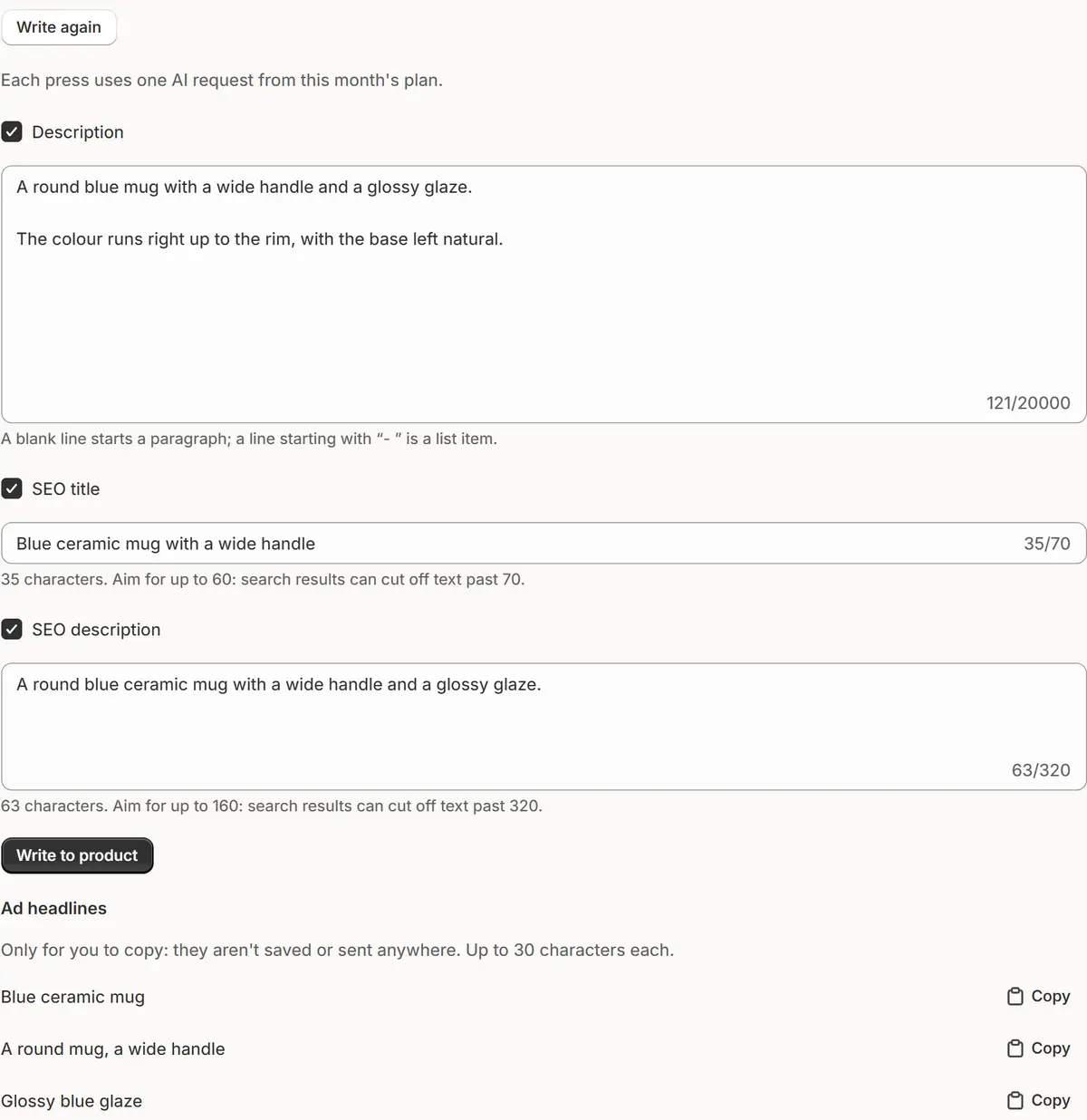
The app's real screen, with example store data. Write to product
Press Write to product. Restore previous text puts the earlier text back with one press.

Tips
- Set Tone and Language of the text in Settings → Products.
- When the product is in a sale, Add the sale's end adds one line with the end date to the description.
- The ad headlines, up to 30 characters, are only to copy: they aren't saved or sent anywhere.
What to check
- SEO title up to 60 characters and SEO description up to 160, as Shopify recommends.
- A Check before writing note names anything the draft says that the data doesn't.
Common mistakes
- Trying it on a product that isn't saved: add a title and a photo, press Save, then write.
- Expecting text for a product with no photo and no data: it gets a message instead, and no request is spent.
The plan you need
On the Free planEvery plan. Each press of Write with AI or Write again uses one AI request from your plan.
Your questions
Will AI invent materials or sizes?
No. It says only what the photos show or the data states.
What is sent to AI?
The product's photos, title, type, vendor, tags, options, current description and SEO fields, your notes and tone. No price, order or customer data.
Related tutorials
- Check your catalogRun the catalog check: a score out of 100, products by level, and what to fix first in photos, descriptions, SEO, product data and prices.
- Teach the AI your storeTell the AI what you sell and what your words mean, give it rules such as never discount a brand, and see, change or delete what it remembers.
- History and UndoSee every change the app made, who made it and when, and undo one change or a whole group, with Ctrl+Z, from History or from the chat.
Learn more
- Use caseAI Product Descriptions and SEO Titles for ShopifyAI writes a Shopify product's description, SEO title and description and ad headlines from its photos and data. You check the text before it goes in.
- Use caseShopify Catalog Check: A Score and What to Fix FirstA daily check of your Shopify products' photos, descriptions, SEO, data and prices: a catalog score out of 100 and the problems to fix first.
- FeatureCatalog check and product textA daily check of your products and AI that drafts their descriptions and SEO text, for you to review.
Run your next sale with Market Manager
Free plan. Paid plans start with a 7-day free trial.